
Email Marketing for Financial Advisors: What to Send and Why
How can your emails do more without taking more of your evenings?
You’ve finished client work, and another email still needs writing before you close the laptop. Choose email types with distinct jobs, let people choose which types they receive, and plan relevant messages around one useful article each month. That gives you a reason for each send before you begin drafting.
Get the Free Checklist to see the seven things to publish every month.
For the broader context, see how email fits into marketing for independent financial advisors.
If you’re running the practice on your own, an open evening can become the default writing slot. By then, deciding what to say is another decision after a day of client decisions.
A manageable monthly plan gives you those decisions in advance. You choose what each message should help someone understand and who has asked to receive it. One useful article supplies a shared subject, with room to adapt the message to the relationship.
You can begin with a small set of email types and add others when there’s a clear reason to send them. The aim is useful communication you can sustain alongside client work.
Why plan email types instead of writing another email?
An email address doesn’t tell you what someone wants from your practice. A new subscriber may want help understanding a planning question. Someone you met yesterday may be waiting for the next step you discussed.
A welcome email sets expectations about what will arrive. An educational email helps someone understand a question. A meeting follow-up carries forward an actual conversation, including what each person agreed to do.
Planning those jobs together lets you decide how messages connect before a gap in your calendar becomes a writing session. Email belongs in your financial advisor marketing plan, alongside the article it shares and the conversations it supports.
For an editorial demonstration, we’ll use a proposed teaching article called “Preparing for a Useful Financial Planning Conversation.” An educational email could introduce its preparation questions; a meeting follow-up could point back to a question discussed together.
Relationship groups help you choose the context. Subscription choices determine which marketing types someone receives. Being a prospect or client doesn’t automatically sign someone up for every type.
A useful email can earn a reply or clarify what happens next. A meeting request fits when a conversation would help; other messages can ask readers to read the article or reply with a question.
Give each email one reader, one job, and one relevant next step.
What happens when every email does the same job?
If every email asks for a meeting, readers can struggle to tell which message deserves attention now. You also have little basis for deciding what to change. A quiet response could mean the request came too soon, the subject felt irrelevant, or the reader simply had nothing to discuss.
For a solo advisor, that uncertainty can become another late writing assignment. Client work ends, the draft opens, and you’re choosing words without a clear purpose to guide them. Sending frequently can be useful when each message gives its intended reader a reason to open it.
Replace “Ready to discuss your financial future?” with “Before your next planning conversation, write down the decision you most want help making.” That sentence gives readers a preparation task from the demonstration article, “Preparing for a Useful Financial Planning Conversation.”
People who trusted your practice with their address deserve communication that respects their relationship with you and what they chose to receive. A useful educational message can help someone prepare before a meeting request fits.
Who are you emailing, and what did they ask to receive?
Group your contacts by relationship: prospects and new subscribers, clients, and referral partners. Then keep a separate record of the email types each person requested. Being a client or referral partner alone doesn’t authorize every marketing type.
Every marketing email should belong to a subscription type the recipient chose. Within that type, tailor the context and next step to the relationship. A prospect and a client may request planning articles but need different invitations to respond.
Put understandable choices on subscription forms on your existing website: “Send me planning articles,” “Send me event invitations,” and “Send me the newsletter.” You can offer these choices without starting with a new website template.
Let readers stop one type while keeping others through the preference link in each marketing email. Record what they agreed to receive, when, and how, so you can honor their choices later.
For setup references, HubSpot covers defining subscription types, offering per-type opt-outs, and recording communication consent. These are setup guides, not evidence of marketing performance or legal requirements; a software setting doesn’t establish compliance.
Keep necessary service communications, such as review reminders, separate from marketing subscriptions.
Which emails does each group need?
Use these journeys as starting points. Each message needs a reason to go out; each reader receives only the parts that fit their choices and relationship with your practice. You don’t need every type each month.
Prospects and new subscribers
Send a welcome email once after someone signs up for that type. Its job is to confirm expectations. Subject: “What you’ll receive from us.” Open with: “You signed up for practical planning articles. Here’s what to expect.”
Then offer education subscribers an article or education email, monthly to start. Explain one useful issue and give readers somewhere to continue learning. Subject: “Before your next financial planning conversation.”
When there’s a real event, send an event invitation to relevant event subscribers. Help them decide whether attending would be useful by explaining who it’s for and what they’ll learn. Send a limited reminder if appropriate. Subject: “An invitation to our next planning conversation.”
After an actual meeting, send a first-meeting follow-up promptly to the person you met. Confirm the agreed next step, with a clear action or date. Subject: “The next step we discussed.” This personal follow-up doesn’t create a recurring marketing subscription.
Clients
Begin with a new-client welcome, sent once at the relationship’s start to each new client. Explain what happens next so they know what to expect and what you need from them. Subject: “What happens next as we begin working together.”
Later, send a seasonal client update when a relevant season or planning need arises. Its job is to explain one applicable planning consideration to clients who chose these updates. Subject: “A planning check-in for the season ahead.” Invite a reply if that consideration affects their circumstances.
Review reminders and other service notices are service messages, not marketing. The service relationship determines who needs them.
Referral partners
Send a referral-partner update to participating partners who chose updates, monthly when you have something useful to share. Its job is to pair a useful resource with an explanation of when an introduction could help. Subject: “A useful resource before an introduction.”
Explain whom the resource helps, so a partner can recognize a relevant situation and share it or discuss an introduction. A longer sequence is optional.
Available to any group that chose them
These messages can supplement any journey without automatically going to everyone.
A newsletter maintains useful contact with people who chose the newsletter; start monthly with a subject such as “This month’s planning note.” The full case for newsletters explains why two newsletters do more than one.
Send an announcement only when there’s genuine news, such as a new service or team change, to relevant announcement subscribers. Explain the change and what it means for them. Subject: “An update about our team.”
How can one month’s emails work together?
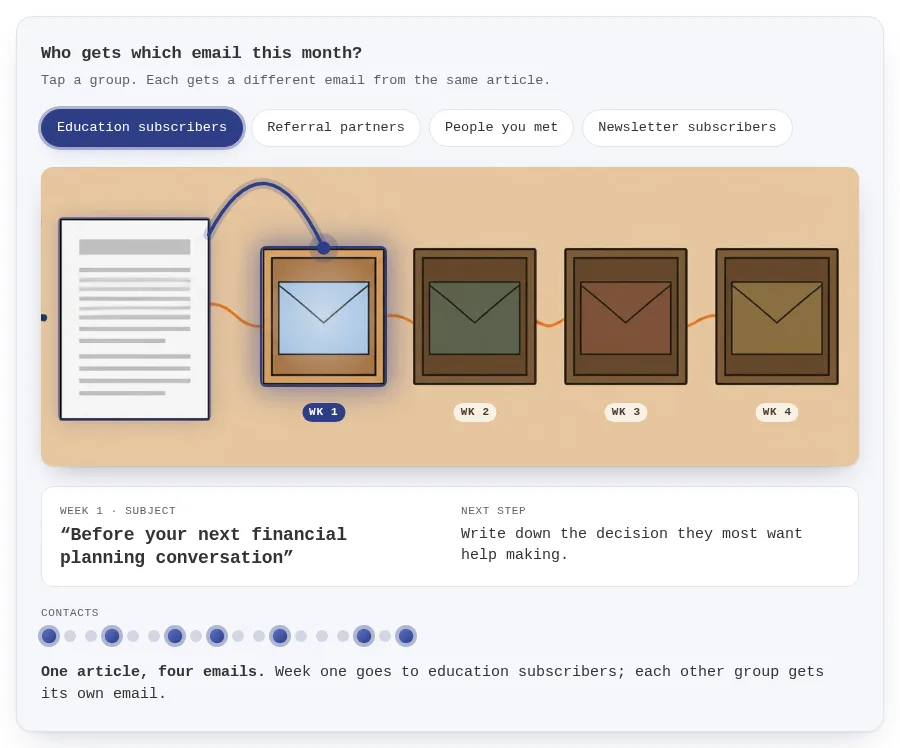
Plan one campaign as a connected set of emails over one month, with one shared goal: help readers prepare for a useful planning conversation. Each group gets a relevant next step through the same article.
-
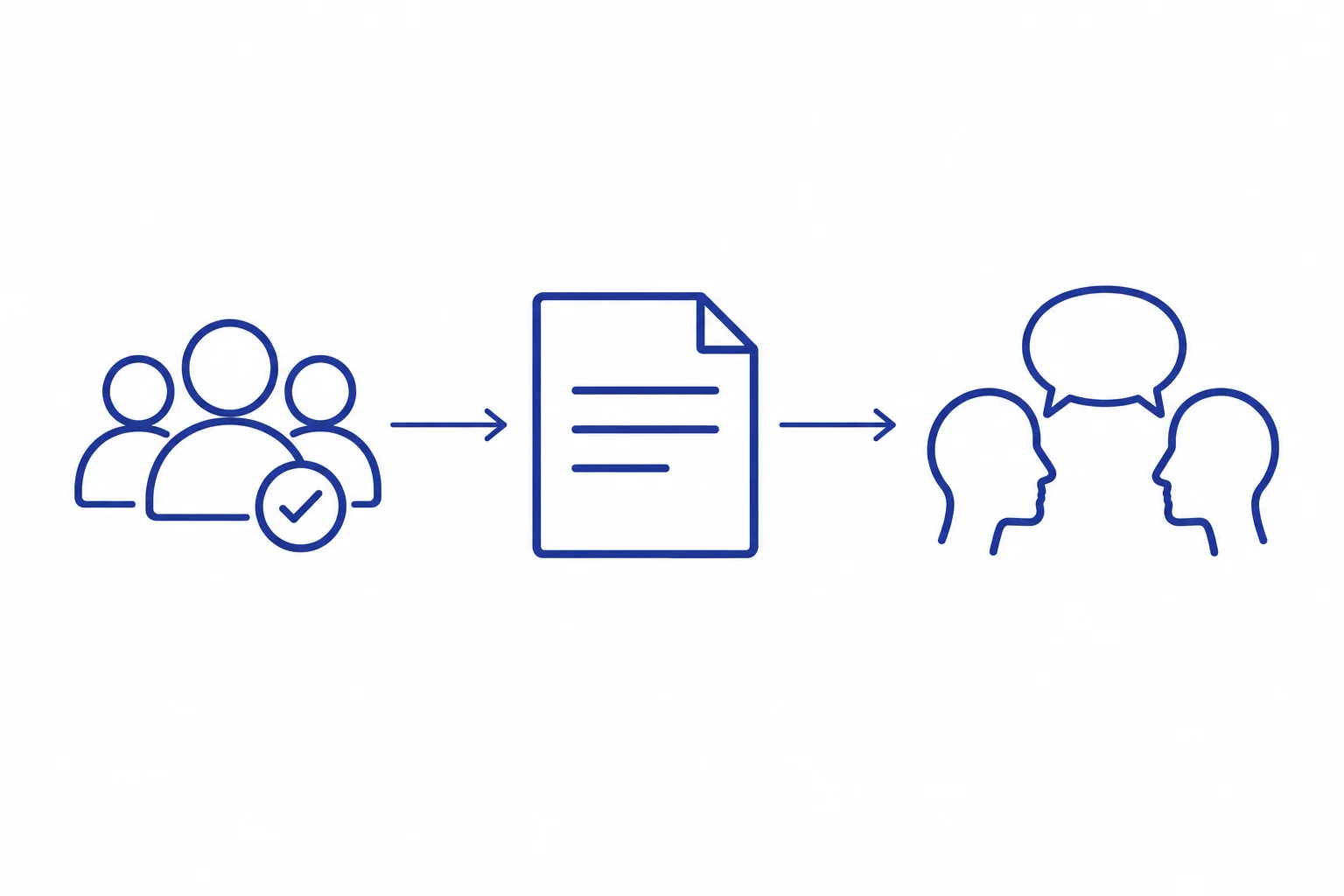
Choose types and recipients. Start with education emails, a newsletter, and a partner update where partners participate. Identify who chose each type. Keep welcome emails tied to signups and meeting follow-ups tied to actual conversations. You can leave events, announcements, and seasonal updates out unless there’s a reason to send them.
-
Plan the month around one article. Use the demonstration article about preparing for a financial planning conversation. Put these sends on your month’s calendar:
- Week One: Education subscribers receive “Before your next financial planning conversation.” Link to the article and ask them to write down the decision they most want help making.
- Week Two: Participating partners receive “A useful resource before an introduction.” Use the article to explain when a planning conversation could help, so they can recognize a relevant introduction.
- Week Three: Only people who actually met receive “The next step we discussed.” Reflect their actual agreed action; send promptly after the meeting rather than waiting for this week.
- Week Four: Newsletter subscribers receive “This month’s planning note,” a concise roundup including the article.
These are different groups, not four compulsory emails per person. For overlapping subscriptions, add newsletter context rather than repeat the education email’s introduction.
-
Send and choose one adjustment. Name who drafts, who approves, and who sends. In a solo practice, you may do all three. Send after approval, then read replies, relevant clicks, and agreed next steps or booked meetings. Choose one change for next month, such as making the education email’s question more specific.
How do you keep your emails reaching the inbox?
Ask for explicit permission for each email type. Use double opt-in to confirm it: after signup, send a confirmation email asking the person to confirm the subscription before marketing begins. That’s a practical recommendation, not a universal legal requirement.
Make unsubscribing easy. Stop marketing sends to anyone who unsubscribes or marks your email as spam, and stop sending to addresses that bounce.
A re-engagement email has one job: ask quiet subscribers whether they still want that email type. Send it occasionally after sustained inactivity, rather than every month. For education subscribers, the subject could be “Would you still like these planning articles?” Give them a clear way to confirm their choice. Remove those who don’t respond from further marketing sends rather than continuing indefinitely.
Keep necessary service communications, such as review reminders, separate from marketing subscriptions.
These habits support delivery to willing readers; they don’t guarantee inbox placement. For messages sent to personal Gmail accounts, use Google’s email sender guidelines as a delivery reference.
How can you tell which emails are working?
Judge each email by its job. Education emails can earn relevant clicks and thoughtful replies; invitations can earn registrations; first-meeting follow-ups can secure an agreed next step or booked meeting. A newsletter can be useful without generating a meeting every time.
In the demonstration month, assess the article email’s replies and clicks alongside the partner update’s relevant responses. Each has its own job; a universal benchmark offers little guidance.
Keep replies, clicks, and booked meetings visible. For setup help, tag links so you can identify which email brought a click and review the campaign’s results, including recorded meetings alongside your meeting records. Tagged traffic doesn’t identify the visitor; a recorded association doesn’t prove an email caused a meeting.
Try two subject lines on part of the relevant subscriber list, keeping the email otherwise identical. Judge the result against its job. Make one adjustment each month: a subject line, a next-step sentence, or a recipient choice. Keep the other elements unchanged so you can learn from the comparison.
What should stay in your hands when you get help?
Your approval should remain part of every email. The words represent how you think, how you explain financial decisions, and what someone can expect from a conversation with you. You need to be comfortable putting your name on them before they reach a reader.
Review for that fit. Would you say this across the table? Does the next step suit the relationship? If a sentence sounds unlike you, you should be able to say, “I’d explain it this way,” and have the email reflect that.
When client work fills the day, it makes sense that email gets pushed into the evening.
Done-for-you help should give you useful marketing written in your practice’s voice and published after your approval, without late-night drafting or a new software job.
With FlowOps360, we write and publish your marketing every month; you approve every piece.
FlowOps360 is one possible fit. If you’re deciding what to keep yourself and where help would be useful, compare DIY, in-house, and outsourced marketing. Choose the arrangement that leaves you enough time to review what represents your practice and give a clear approval before publication.
What changes when every email has a clear job?
Leaving email as it is avoids a planning task today. It also preserves the same decisions for next month: what to write, who should receive it, when to send it, and what to make of the response.
The trade-offs are practical:
Repeated late writing sessions keep taking time after client work. With email types chosen in advance, you have fewer blank-page decisions. You can review a message against its purpose instead of deciding its purpose while writing.
Broad messages leave readers to work out whether the email is relevant. Matching each message to an interest someone chose gives you a specific reason to send it and gives the reader a clearer expectation of what they’ll receive.
Inconsistent contact means deciding when to send whenever a gap opens in your day. A manageable monthly rhythm gives each chosen email a place, with room to skip a message that has nothing useful to say.
Uncertainty about what helped makes the next send another guess. Reading results against each email’s job gives you a basis for adjustment: a relevant click for education, a registration for an invitation, or an agreed next step after a meeting.
These are intended working conditions, not promised leads or meetings. You’re choosing to run your communication deliberately, with greater control over your time, who hears from you, and why each message goes out.
What else should you know before you begin?
Do I need every email type?
No. Choose types that serve a real relationship need. Add another only when you can name its job and who wants it.
Can one article support prospect, client, and partner emails?
Yes, when the subject is relevant to each group. Change the introduction and next step to suit the relationship. Skip recipients who won't find it useful.
Should every email ask someone to book a meeting?
No. Most should help readers understand something or take a proportionate next step, such as reading an article or replying with a question. Include a meeting invitation when a conversation fits.
How do you grow your email list?
Invite people through a website signup that explains each type, after a first meeting, at an event, or following a referral introduction. Always get permission. Never buy or import a list.
What rules and approvals should I check?
Check Google's email sender guidelines for delivery requirements and, if your practice is subject to it, the SEC marketing rule for advertisements; agree with your compliance reviewer, if you have one, on review, disclosures, retention, and approval of recurring or automated messages before they begin. Also check applicable FINRA, books-and-records, and CAN-SPAM requirements.
You can use this plan independently or discuss having the writing and publishing handled for you, in your practice’s voice, with your approval of every piece.
Book Your Free 30-Minute Call or Get the Free Checklist.
Sources
- Set up email subscription types — HubSpot
- Customize email subscription pages — HubSpot
- Manage data privacy settings in your HubSpot account — HubSpot
- Email sender guidelines — Google
- Create tracking URLs — HubSpot
- Analyze individual campaign performance — HubSpot
- 17 CFR 275.206(4)-1, Investment adviser marketing — eCFR